Fusion-2025-lockup-Wht-OL-ADSK-No-Year-1-line

Autodesk Fusion vs. SolidWorks: The Ultimate Migration Guide

Are you considering migrating from SolidWorks and are curious about the differences between Autodesk Fusion vs. SolidWorks?

This migration guide will highlight what sets Autodesk Fusion apart, the key steps to successful migration, and the resources to help get you there.

Before we get into the detailed features to take advantage of, what sets Fusion apart from SolidWorks? Fusion offers impressive advantages, making it a top choice for designers, fabricators, and engineers. Here are six key benefits of Fusion you may or may not have already realized during your search for a new tool:

Integrated and extensible ecosystem

1. Integrated and extensible ecosystem

Fusion is a comprehensive ecosystem that integrates CAD, CAM, CAE, and ECAD (electronic CAD) tools.
Collaboration and data at the center

2. Collaboration and data at the center
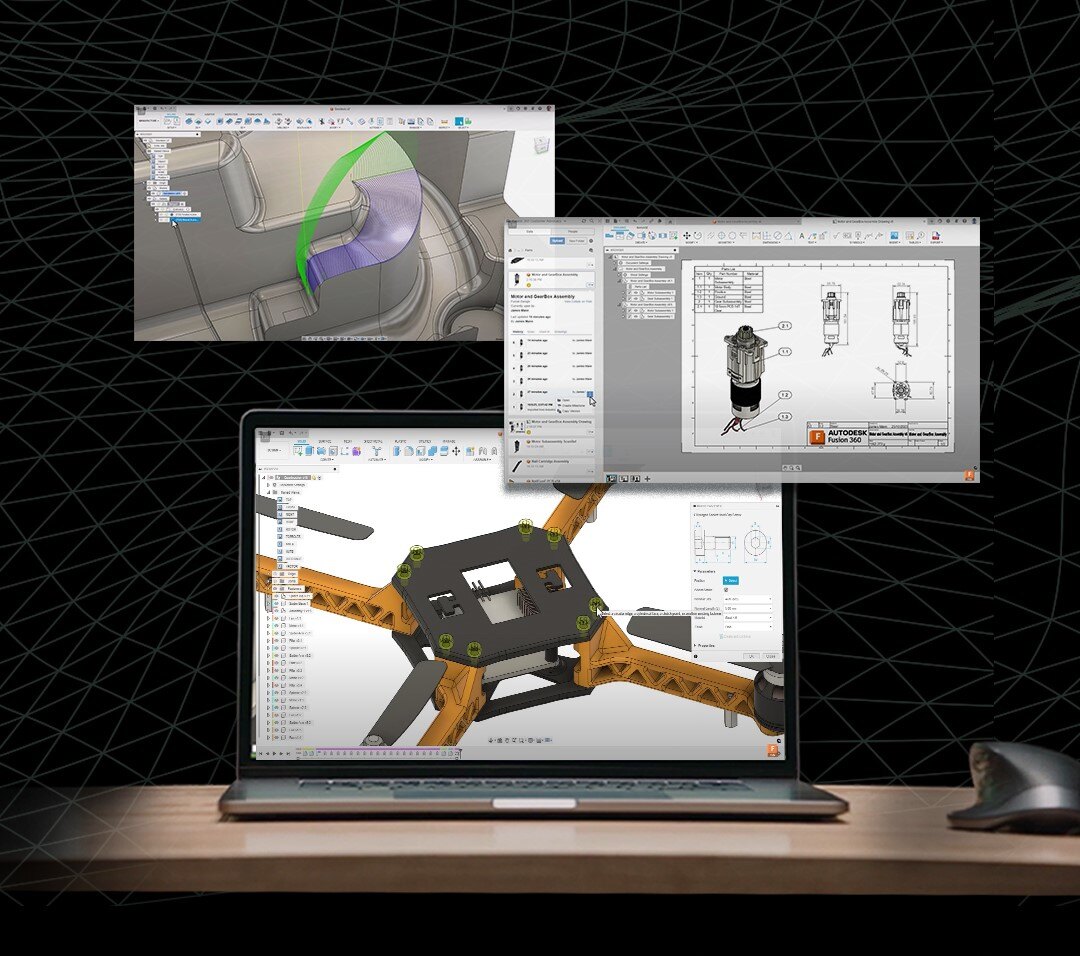
Cloud collaboration in Fusion is a significant game-changer.
Affordable subscription options

3. Affordable subscription options

Affordability is another significant benefit of Fusion.
Fusion extensions

4. Fusion extensions

Fusion extensions allow you to select and subscribe to the tools that align with your current needs.
Partner ecosystem

5. Partner ecosystem

Fusion collaborates with hardware manufacturers to develop and integrate cutting-edge extensions into its ecosystem.
Ease of use

6. Ease of use

Fusion comes with a robust feature set, but it still remains user-friendly.
Key steps for a successful migration-2
Key steps for a successful migration

Transitioning from SolidWorks to Fusion opens up exciting possibilities for designers and engineers. As you transition, there are action items to keep in mind to ensure a seamless workflow shift.

1. Familiarize yourself with the interface

Upon launching Fusion, you’re greeted with a clean interface that balances functionality and simplicity. Getting familiar with the Fusion interface is critical to unlocking its full potential and harnessing its powerful capabilities.

2. Pay attention to key terminology

While some concepts and tools may resemble CAD software, Fusion has a unique language and workflow. Understanding fundamental concepts like sketches, components, assemblies, parametric modeling, and design history features will enable you to effectively leverage the robust capabilities of Fusion.

Shifting your 3D modeling workflow from SolidWorks to Autodesk Fusion: Embrace the familiarity

If you’re making the switch from SolidWorks to Fusion, you may wonder about the process of transferring your modeling techniques. Rest assured, the transition is more manageable than you may think.

Fusion offers a powerful combination of transferable modeling techniques and an intuitive interface, making it easy to adopt and deploy in your design process or business. Familiarity with sketch-based parametric modeling, mesh modeling, and T-splines in Fusion, along with its seamless integration of sheet metal design, streamlines the transition from SolidWorks and ensures a short adjustment period.

AU-PROMO-Q2-2024-LP
Brand-Portrait-SF-Gallery-770_with_overlay

autodesk-platinum-partner-logo-rgb-black (1)

Design and make anything with Autodesk software

Autodesk’s range of software helps you get everyone on the same page to plan, design, construct and operate better projects.

Have a question?

Let's Talk

Fields marked with an asterisk (*) are mandatory.